
Picture a shopper who lands on your store from Google, browses three product pages and adds a pair of shoes to the cart. Then they vanish. You paid for that visit through SEO, ads or social media, and you were one click from a sale. Multiply that by thousands of visitors a month and you can see why cart abandonment is one of the costliest leaks in ecommerce.
Baymard Institute's long-running research puts the average abandonment rate at roughly 70%. That means around seven in ten carts never become orders. Much of that loss comes from problems you control: hidden costs, clumsy forms, slow pages and no follow-up.
This guide covers how to reduce cart abandonment step by step. We'll measure the problem, diagnose the causes, fix the checkout and win back shoppers who have already left. It applies whether you run a D2C brand, a marketplace or a B2B store.
What Is Cart Abandonment (and How Is It Different from Checkout Abandonment)?
Cart abandonment happens when a visitor adds products to the cart and leaves without paying. Checkout abandonment is narrower. The shopper has clicked the checkout button and entered the purchase flow (shipping details, payment, order review) but quits before confirming the order.
The difference matters because the causes, and therefore the cures, are not the same.
- Cart abandonment often reflects early-stage intent. People use carts as wish lists, price-comparison tools and reminders.
- Checkout abandonment reflects strong intent that hits a wall: an unexpected fee, a mandatory account, a payment error or a sudden doubt about security.
To reduce checkout abandonment, you remove friction from the flow. To reduce cart abandonment earlier in the journey, you build confidence, clarity and follow-up. You need to work on both, and you need to measure them separately.
How to Calculate Your Cart and Checkout Abandonment Rate
You can't improve what you haven't measured. Pick a period (a month or a quarter works well) and use these formulas.
Cart abandonment rate = (1 − completed purchases ÷ carts created) × 100
Checkout abandonment rate = (1 − completed purchases ÷ checkouts initiated) × 100
Suppose 6,000 shoppers start checkout in a quarter and 4,500 complete the purchase. Your checkout abandonment rate is (1 − 0.75) × 100, or 25%.
What Is a "Good" Abandonment Rate?
Benchmarks vary by industry, so treat them as directional:
- Overall average: about 69.8% across industries, according to Baymard's aggregated research.
- Retail and fashion: higher, around 72.8% in commonly cited industry data.
- B2B and tech: far lower, around 18%, because purchases are more deliberate.
- Top-performing stores: the top 20% of stores complete more than 63% of checkouts started, per Littledata's benchmark data.
Your most useful benchmark is your own history. Segment the rate by device, traffic source, new versus returning visitors and product category. A single blended number hides the pattern you need to see.
Top Reasons Shoppers Abandon Their Carts
No one can read a shopper's mind, but research and store data keep pointing to the same culprits.
1. Unexpected costs. Shipping, taxes and service fees that appear only at the final step are the most consistent reason for abandonment. Shoppers feel tricked, and trust drops immediately.
2. Forced account creation. People who want to buy one item in two minutes don't want another password to remember.
3. A long or complicated checkout. Too many fields, too many pages and confusing layouts all add effort at the moment shoppers are least willing to spend it.
4. Trust and security doubts. If a payment page looks unfamiliar or carries no security signals, shoppers hesitate over sharing card details.
5. Slow pages and site errors. A checkout that lags, crashes or throws an unclear error message sends people straight to a competitor.
6. Limited payment options. Shoppers want their preferred method. In India that usually means UPI, cards, net banking, wallets, EMI and cash on delivery.
7. Payment failures. Genuine declines are out of your hands. But mistyped details, weak error messages and over-aggressive fraud rules also cost you orders.
8. Doubts about delivery and returns. If delivery timelines, shipping partners or return policies aren't clear, shoppers hold back.
9. Simple distraction or price comparison. Some abandonment is normal. That is exactly why recovery tactics exist.
Metrics to Track Alongside Your Abandonment Rate
The rate tells you that you have a problem. These metrics help you find it:
- Value of abandoned carts: total revenue left on the table. A few high-ticket exits can hurt more than many small ones.
- Drop-off by checkout step: cart, shipping, payment, review. The step with the biggest fall-off is your priority.
- Device split: if mobile abandonment is far higher than desktop, the mobile experience is the problem.
- Checkout page load time: even small delays reduce completion.
- Payment failure rate: by method and gateway.
- Recovery rate: the percentage of abandoned carts won back through emails, messages or popups.
- Time to purchase and repeat visits: if buyers return several times before ordering, they are missing information you could provide earlier.
The Three-Layer Approach: Prevent, Intercept, Recover
The most effective cart abandonment solutions work in layers rather than as one trick:
- Prevent: improve the experience so fewer shoppers want to leave.
- Intercept: respond in the moment when someone is about to leave.
- Recover: follow up with shoppers who have already gone.
Each layer catches shoppers the previous one missed. Let's take them in order.
Layer 1: Prevent Abandonment with Checkout Optimization
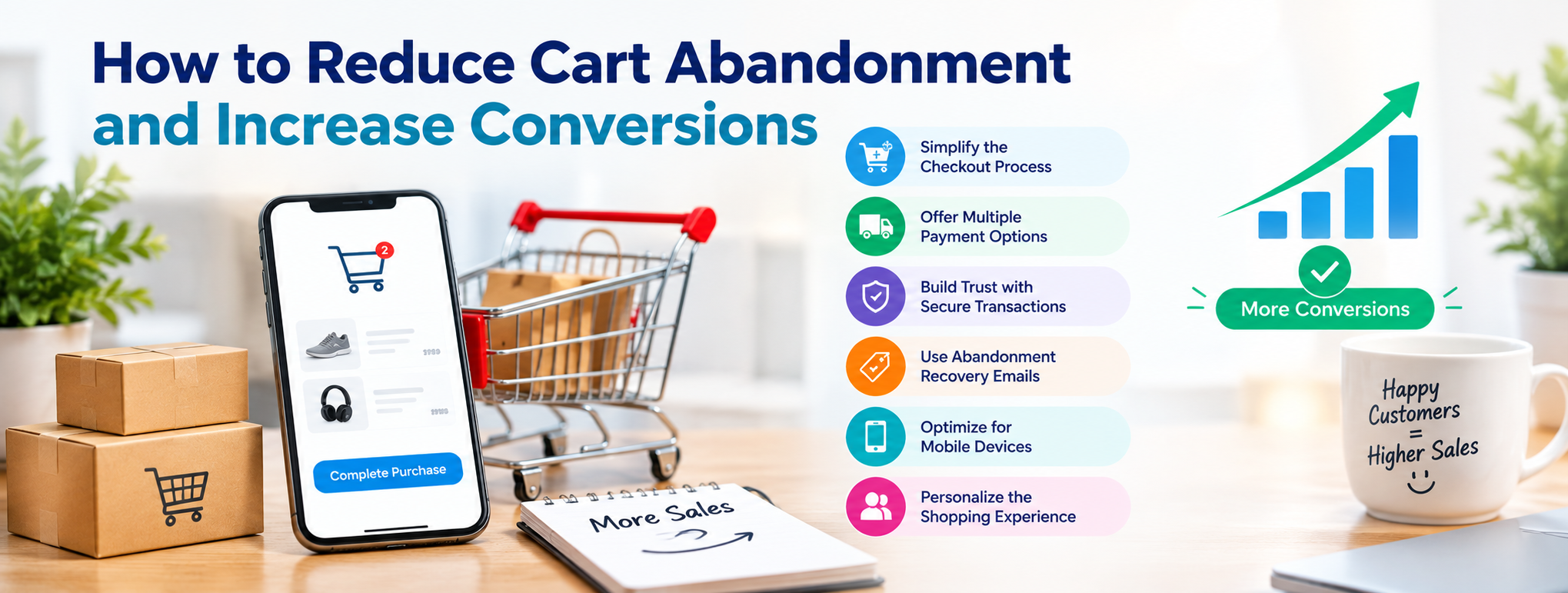
Prevention gives you the biggest return, because every shopper you keep costs nothing to win back. Effective checkout optimization means making buying feel fast, safe and predictable.
Be Transparent About Costs Early
Show shipping estimates, taxes and any fees on the product page or in the cart, not for the first time at the final step. If you offer free shipping above a threshold, display a progress bar ("Add ₹300 more for free delivery"). It removes the surprise and can increase order value at the same time.
Offer Guest Checkout
Let shoppers buy without creating an account. You can invite them to save their details after the order is confirmed, when they have no reason to say no.
Ask for Less
Every field is a chance to quit. Collect only what you need to ship and bill. Use address autocomplete, pin-code lookup and a single "billing same as shipping" checkbox. Shoppers are also increasingly wary of sharing personal data, so avoid asking for anything you won't use.
Fix the Flow: Checkout Flow Optimization Basics
Smart checkout flow optimization is mostly about removing steps and confusion:
- Show a visible progress indicator so people know how much is left.
- Use a single-page or clearly stepped checkout, whichever your testing supports.
- Validate fields inline and write error messages that say what to fix, not just "invalid input".
- Keep the cart editable at checkout so shoppers don't have to go back.
- Remove distracting navigation and pop-ups from the payment step.
- Auto-save carts so a shopper can return on another device and continue.
Give Shoppers the Payment Methods They Trust
Match the payment mix to your audience. For Indian ecommerce, that typically means UPI, major cards, net banking, popular wallets, EMI options and cash on delivery where margins allow. Display accepted methods early. Work with a payment gateway that has smart retries and adaptive fraud rules, so genuine customers aren't declined by mistake.
Build Trust Where It Counts
Show security badges near the payment fields, use HTTPS everywhere and comply with PCI standards. Display recognisable shipping partners, a clear returns policy, contact details and customer reviews. These small signals matter most on the payment page, where anxiety peaks.
Make Speed and Stability Non-Negotiable
Compress images, minify scripts, use caching and test your checkout under peak load, such as sale days. If you're planning major changes, roll them out gradually so an error doesn't take down your entire flow. A stable, fast checkout often needs solid back-end engineering. Stores built on PHP frameworks and platforms benefit from PHP development support that tunes performance and payment integrations.
Don't Forget Mobile
Most shoppers browse on their phones, and many still complete purchases on a desktop. Use large tap targets, numeric keypads for card and OTP fields, digital wallets and one-tap UPI flows, and a sticky "Place order" button. Test on real mid-range Android devices, not just your flagship phone.
Layer 2: Intercept Shoppers Who Are About to Leave
Even a great checkout loses some shoppers. Exit-intent tools try to catch them at the moment of hesitation, and used well they help rather than annoy.
Use context, not just cursor movement. A cursor drifting towards the browser edge doesn't always mean someone is leaving, and a back-button click may just mean they're moving around your store. Combine signals such as device, traffic source, time on page and cart value before deciding to show a message.
Match the message to the reason.
- Price-sensitive shoppers may respond to a limited voucher or free-shipping offer.
- Uncertain shoppers respond better to help: a live chat prompt, a link to the returns policy or a delivery-date checker.
- Shoppers who just aren't ready can be invited to save their cart or subscribe via email or WhatsApp, with clear consent.
Protect your margin and your visitors' patience. Show one relevant prompt, make it easy to close and don't hand a discount to people who were going to buy anyway.
Layer 3: Recover Lost Sales with Abandoned Cart Recovery
Some shoppers will leave regardless. That's where abandoned cart recovery turns a lost sale into a second chance. Recovery works because these shoppers have already shown intent. You're reminding them, not persuading strangers.
Cart Abandonment Emails: A Three-Step Sequence
Well-written cart abandonment emails are among the highest-performing emails in ecommerce. A simple sequence works well:
Email 1: The reminder (within a few hours). Keep it helpful. Show the product image, name, price and a clear button back to the cart. Address the shopper by name and make it easy to continue exactly where they stopped.
Email 2: The reassurance (around 24–48 hours). Answer likely objections: delivery times, returns, warranty, payment security. Add reviews or ratings. If it suits your margins, this is where a small incentive can appear.
Email 3: The last nudge (around day 5–7). Create gentle urgency, such as low stock or an offer expiring, and include a final call to action.
What Makes a Recovery Email Work
- A specific subject line. "You left something behind" beats a generic promotional line, and including the product name helps.
- A dynamic cart. Show exactly what they chose, with images.
- One clear call to action. A prominent button that returns them to the cart or checkout, not a maze of links.
- A human tone. Some of the best examples are short and personal, written as if from the founder or support team.
- A one-question survey. Asking "What stopped you?" gives you data for the next round of fixes.
- A mobile-friendly design. Many recovery clicks happen on phones.
Go Beyond Email
Email isn't the only route back. Depending on your audience and consent, consider:
- WhatsApp and SMS reminders for shoppers who opted in.
- Browser push notifications for returning visitors.
- Retargeting ads showing the exact products left behind.
- Browse-abandonment messages for people who viewed products but never added them to the cart.
- Win-back campaigns for past customers who have gone quiet.
Use Discounts Wisely
A discount can rescue a sale, but it also trains shoppers to abandon on purpose. To keep it healthy:
- Offer a reminder first and an incentive only if that fails.
- Limit each shopper to one offer.
- Set a minimum cart value and an expiry date.
- Try non-price alternatives such as free shipping, a free gift or extended returns.
Ecommerce Conversion Optimization: Keep Testing and Improving
Cutting abandonment is not a one-time project. Real ecommerce conversion optimization is a loop of measuring, hypothesising, testing and learning.
Test one change at a time. Try a shorter form, a different button label, a new payment order or a revised shipping message, and let each test run long enough to be reliable.
Look at the pages before the cart. Shoppers who don't understand your product or offer will abandon it later. Clear pricing, honest descriptions and strong product pages set expectations correctly. Our guide on how to create high-converting landing pages covers the design and messaging principles that reduce hesitation before shoppers reach the cart.
Attract better-fit traffic. Visitors who arrive with a clear need convert and complete orders at higher rates. That's where organic search helps. Building topical authority brings in shoppers looking for exactly what you sell. A solid AI SEO checklist keeps your product and category pages visible as search evolves. And credible off-page SEO techniques build the brand trust that makes shoppers more willing to hand over their payment details.
Your 30-Day Action Plan
Week 1: Measure. Calculate cart and checkout abandonment rates, segmented by device and traffic source. Map drop-off by checkout step.
Week 2: Fix the biggest friction. Address the top one or two problems: surprise costs, forced accounts, slow pages or missing payment methods.
Week 3: Launch recovery. Set up the three-email sequence and, where consented, a WhatsApp or SMS reminder. Add a light exit-intent prompt.
Week 4: Test and refine. Review recovery rates, run your first A/B test and check that mobile performance has improved.
Frequently Asked Questions
What is the average cart abandonment rate?
Roughly 70% across ecommerce, though it varies by industry, device and product type. Retail is typically higher and B2B lower.
How do I reduce cart abandonment quickly?
Show total costs early, enable guest checkout, offer the payment methods your customers prefer and speed up your pages. Then add an automated abandoned-cart email sequence.
What is the difference between cart abandonment and checkout abandonment?
Cart abandonment is leaving after adding items but before starting checkout. Checkout abandonment is leaving after starting the checkout process but before completing payment.
When should I send an abandoned cart email?
Send the first within a few hours, a second after one to two days and a final reminder around a week later. Test timing for your own audience.
Should I always offer a discount for abandoned carts?
No. Start with a reminder and reassurance, and reserve incentives for shoppers who don't respond. Limit offers to one per customer to avoid training people to abandon.
How can I find out why customers abandon?
Combine analytics (drop-off by step and device), session recordings, exit surveys and support conversations. The combination shows what is happening and why.
Conclusion: Turn Abandoned Carts into Completed Orders
Cart abandonment will never reach zero, but it doesn't have to stay at 70%. Measure your rate, remove the friction that scares shoppers away, step in when they hesitate and follow up when they leave. Each fix compounds, because every recovered cart is revenue you have already paid to acquire.
If you'd like expert help attracting high-intent shoppers and converting more of them, our team at a trusted SEO company in Bangalore can help. We combine search visibility, content and conversion-focused strategy to grow your online store. Comparing your options? See our roundup of the top 10 SEO companies in Bangalore in 2026.

.png)